TagInput
Free-form tags typed into one field box, each a removable chip.
Installation
TagInput ships with the library — install it once, then import:
import { TagInput } from "@delacour/react-native-ui/tag-input";Or copy the source into your project, to own and edit it:
bunx delacour@latest add tag-inputUsage
import { Field } from "@/components/ui/field";
import { TagInput } from "@/components/ui/tag-input";
import { useState } from "react";
import { View } from "react-native";

export default function Example() {
  const [topics, setTopics] = useState<string[]>(["design", "mobile"]);

  return (
    <View className="flex-1 justify-center p-4">
      <Field>
        <Field.Label>Topics</Field.Label>
        <TagInput value={topics} onValueChange={setTopics} placeholder="Add a topic" />
      </Field>
    </View>
  );
}
Type, then press Return: the text becomes a chip and the keyboard stays up for the next one. Every tag is trimmed, and whitespace on its own never commits.
Delimiters and paste
delimiters lists the single characters that commit the text before them — a comma by default.
Return always commits, and on an empty field it blurs instead — the "done" key. A paste holding
delimiters lands as several tags at once.
<TagInput delimiters={[",", " ", ";"]} keyboardType="email-address" />A delimiter longer than one character is ignored rather than half-matched.
Validation and onReject
validate sees each trimmed, transformed tag and the current list; returning false refuses
it. Every refusal reaches onReject with one of four reasons — empty, duplicate, invalid,
max — and a warning haptic. A tag refused as invalid goes back into the field so it can be
corrected; the others are dropped.
const HINTS: Record<TagInputRejectReason, string> = {
  duplicate: "That address is already on the list.",
  empty: "Type an address first.",
  invalid: "That does not look like an email address.",
  max: "The list is full.",
};

<Field isInvalid={hint !== null}>
  <Field.Label>Recipients</Field.Label>
  <TagInput
    value={emails}
    onValueChange={setEmails}
    delimiters={[",", " ", ";"]}
    validate={isEmail}
    transform={(raw) => raw.toLowerCase()}
    onReject={({ reason }) => setHint(HINTS[reason])}
    onInputValueChange={() => setHint(null)}
  />
  {hint ? <Field.Error>{hint}</Field.Error> : null}
</Field>
When more than one reason applies, the most specific wins: empty, then duplicate, then invalid, then max.
Duplicates and max
Duplicates are refused by default, case-insensitively. caseSensitiveDuplicates tells Design
and design apart; allowDuplicates accepts them.
max caps the list, and showCount reads it back as 3/10. Once the list is full the text field
steps aside, so there is nothing to type into that would only be refused.
<TagInput max={5} showCount defaultValue={["Swift", "Kotlin"]} />allowOverflow accepts tags past max instead, and marks the field invalid — invalid chrome and a
destructive counter — until the list is back under.
<TagInput max={3} allowOverflow showCount />Removing tags
Each chip carries a close control. Backspace on an empty field arms the last chip — it turns
destructive — and a second Backspace removes it, so one stray press never deletes a tag.
isClearable adds a clear-all control while there is anything to clear.
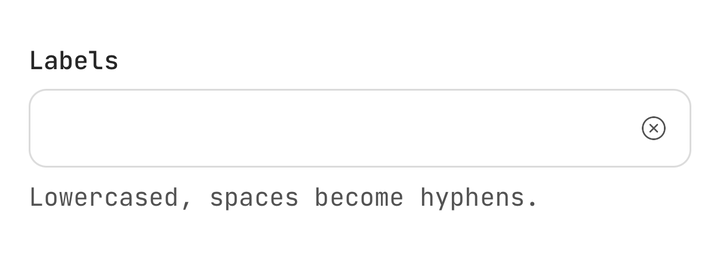
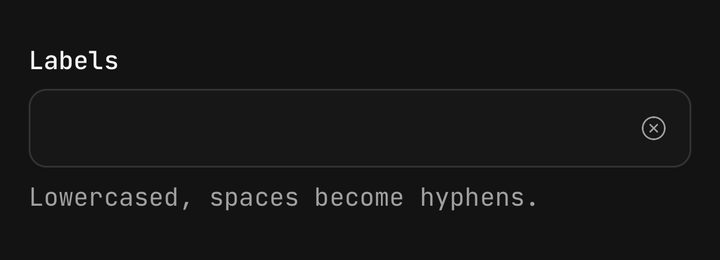
<TagInput isClearable />Blur behaviour
blurBehavior decides what leaving the field does with the text still in it: add commits it, as
Return would (the default); clear throws it away; keep leaves it for next time.
<TagInput blurBehavior="clear" />Controlled
Both the tags and the draft are controlled or uncontrolled, independently: value /
defaultValue / onValueChange for the tags, inputValue / defaultInputValue /
onInputValueChange for the text being typed.
A ref exposes focus, blur, clear and add(raw), which commits text as though it had been
typed and returns the first rejection's reason, or null.
const ref = useRef<TagInputHandle>(null);

<TagInput ref={ref} />
<Button onPress={() => ref.current?.add("urgent")}>
  <Button.Label>Mark urgent</Button.Label>
</Button>
Custom tags
renderTag draws one tag in place of the default chip. It is handed the tag and its state — the
index, whether Backspace armed it, whether it can be removed, and a remove. useTagInput()
reads the rest of the input from inside it.
<TagInput
  renderTag={(tag, { isPendingRemove, remove }) => (
    <Chip color={isPendingRemove ? "destructive" : "info"} onClose={remove} size="sm">
      {tag}
    </Chip>
  )}
/>
In a Field
Inside a Field, the input takes the field's invalid and disabled state, Field.Label's text
names it, and a tap on the label focuses it.
<Field isDisabled={isLocked}>
  <Field.Label>Labels</Field.Label>
  <TagInput value={labels} onValueChange={setLabels} />
  <Field.Description>Separate with a comma.</Field.Description>
</Field>
Sizes and variants
The box is Input's, so a tag input sits level with a field beside it at every size and variant.
Chips step down a size — md takes sm chips — so the first tag never makes the box taller.
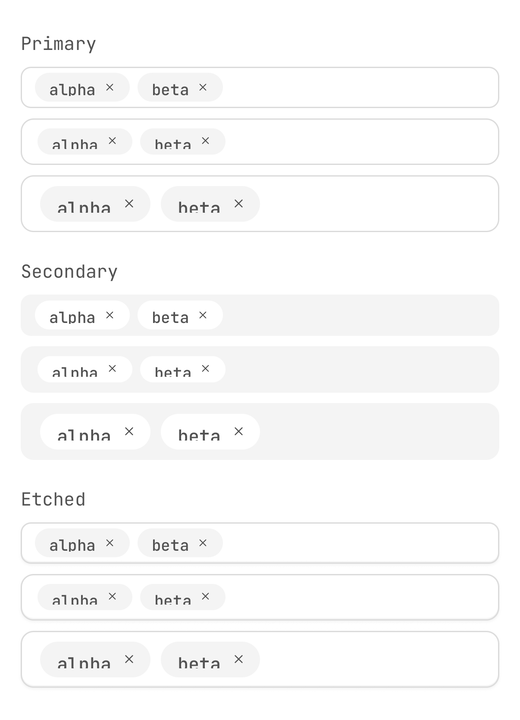
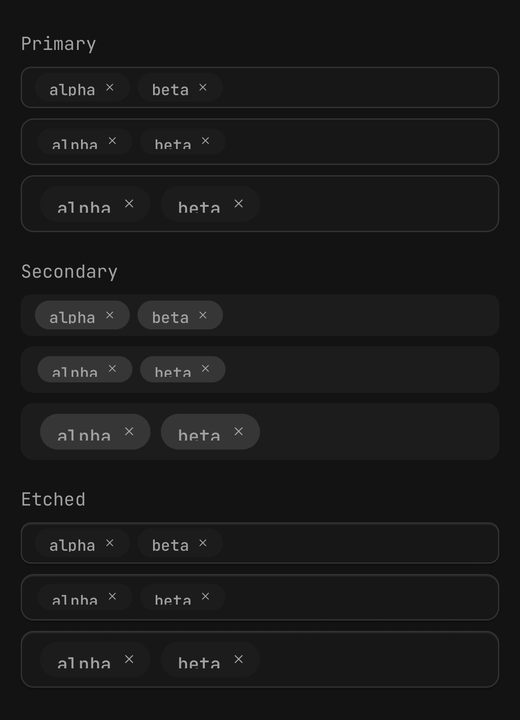
<TagInput size="sm" />
<TagInput size="md" variant="secondary" />
<TagInput size="lg" chipVariant="outline" />
isReadOnly shows the tags with no field and no remove controls.
Accessibility
- Each chip is one accessibility element named by its tag, with removal as a
removeaction — VoiceOver's Actions rotor, TalkBack's actions menu.removeAccessibilityLabelnames it. - The tag count is read with the field: "Recipients, 3 tags".
- Adds, removals and refusals are announced.
rejectMessagesrewords a refusal per reason;announcereplaces the speaker, andannounce={false}silences it. - Motion follows the system's reduce-motion setting.
Backspace on Android
Backspace is read from onKeyPress, which fires reliably only on an empty field — the one case the
arm-then-remove gesture needs. Some Android soft keyboards send no key event for it at all; on
those, a chip's close control and its remove action are the way to delete.
TagInput or Combobox
TagInput is entry first: the user supplies every value, and there is no option list. To pick from suggestions with an escape hatch for a custom value, use a combobox that allows custom values.
API Reference
TagInput
Extends Input's props, without value, onChangeText, multiline and onSubmitEditing — the
text field is driven by the tags and the draft.
Prop
Type
TagInputHandle
Prop
Type