FlipCard
Two faces of one card and a turn between them, by tap, swipe or code.
Installation
FlipCard ships with the library — install it once, then import:
import { FlipCard } from "@delacour/react-native-ui/flip-card";Or copy the source into your project, to own and edit it:
bunx delacour@latest add flip-cardUsage
import { FlipCard } from "@/components/ui/flip-card";
import { Text } from "@/components/ui/text";
import { View } from "react-native";

export default function Example() {
  return (
    <View className="flex-1 justify-center p-4">
      <FlipCard className="aspect-[1.586]">
        <FlipCard.Front className="justify-end">
          <Text.Title>Aria Whitlock</Text.Title>
        </FlipCard.Front>
        <FlipCard.Back className="justify-center">
          <Text.Header>4012 8888 8888 1881</Text.Header>
        </FlipCard.Back>
      </FlipCard>
    </View>
  );
}
A flip is a state change, not an animation. The face is "front" or "back", and the rotation is
derived from it: the face the card turns away from stops taking touches and leaves the
accessibility tree the moment the turn is committed, not when it settles.
Triggers
trigger picks what turns the card.
trigger | What turns it |
|---|---|
"press" (default) | A tap anywhere on the card. The card dips to 0.98 while the finger is down |
"swipe" | A drag that scrubs the turn 1:1, leans past either rest, and settles on the nearer face — or the way you flicked |
"manual" | Nothing on the card itself: only face, the ref, or a FlipCard.Trigger |
<FlipCard trigger="swipe" swipeDistance={160}>
  <FlipCard.Front>…</FlipCard.Front>
  <FlipCard.Back>…</FlipCard.Back>
</FlipCard>
trigger is a discriminated union: swipeDistance — the drag, in points, that equals a half turn —
exists only on "swipe". It defaults to the card's own width (or height, on axis="x").
A swipe card activates only along its drag axis and fails across it, so a horizontal-swipe card in
a vertical ScrollView still lets the page scroll.
Interactive descendants win. A Button or Pressable on a face is its own gesture, and the
deepest one takes the touch — pressing it fires its own onPress and does not also turn a
trigger="press" card.
Axis
axis="y", the default, swings the card left and right; axis="x" tips it top over bottom. On a
swipe card the axis also picks the drag: horizontal for "y", vertical for "x".
<FlipCard axis="x">…</FlipCard>perspective (default 1000) is the camera distance, and motion picks the settle spring —
"default", "snappy" or "gentle". haptic plays once as the card passes edge-on; false
silences it.
Controlled
Pass face and onFaceChange to own the face. onFaceChange fires when a turn is committed —
at its start — and onFlipEnd once the card has settled. A parent that refuses the change keeps
its face, and the card springs back to it.
const [face, setFace] = useState<FlipCardFace>("front");

<FlipCard face={face} onFaceChange={setFace} onFlipEnd={(settled) => log(settled)}>
  …
</FlipCard>
A ref turns the card from anywhere:
const card = useRef<FlipCardHandle>(null);

<FlipCard ref={card} trigger="manual">…</FlipCard>
<Button onPress={() => card.current?.flip()}>Flip</Button>
<Button onPress={() => card.current?.flipTo("front")}>Front</Button>
A flashcard
FlipCard.Trigger is a Pressable that turns the card — toggling, or to the face named by to.
Anything passed to the root that is not a face renders beneath the card, so the back never
covers it.
<FlipCard className="h-44" trigger="manual">
  <FlipCard.Front className="items-center justify-center">
    <Text.Title>Bonjour</Text.Title>
  </FlipCard.Front>
  <FlipCard.Back className="items-center justify-center">
    <Text.Title>Hello</Text.Title>
  </FlipCard.Back>
  <FlipCard.Trigger className="self-center">
    <Text.Label>Reveal</Text.Label>
  </FlipCard.Trigger>
</FlipCard>
With no children, FlipCard.Trigger is a square icon button labelled "Flip card". Inside a face,
useFlipCard() reads the face and turns the card without any props passed down.
Accessibility
- Only the visible face exists to assistive technology. The hidden face is
accessibilityElementsHiddenandimportantForAccessibility="no-hide-descendants", set from the face the card is turning to, so a screen reader never focuses into a face that is fading out. - The change is announced. After the turn settles,
faceLabels[face]is spoken — "Front of card" / "Back of card" by default. The card never moves focus itself;onFaceChangeis where you do. - There is always a non-gesture path.
"press"and"swipe"expose anactivateaction, "Flip card"; on a swipe card it lives on the visible face."manual"relies on yourFlipCard.Trigger. - Reduced motion. Under the OS setting or
DelacourProvider'sisMotionCalm, nothing turns: the faces crossfade in 150 ms, and the announcement, haptic andonFlipEndbehave the same. A swipe card no longer scrubs; a release past half way flips it.
Sizing
The root's className is the footprint — h-48, aspect-[1.586]. FlipCard.Front is in flow,
so without a footprint its content sizes the card; FlipCard.Back is absolute inset-0 and takes
that size.
Each face is a Surface, with its variant and padding. The
back defaults to secondary, one step under the front, so the two read apart.
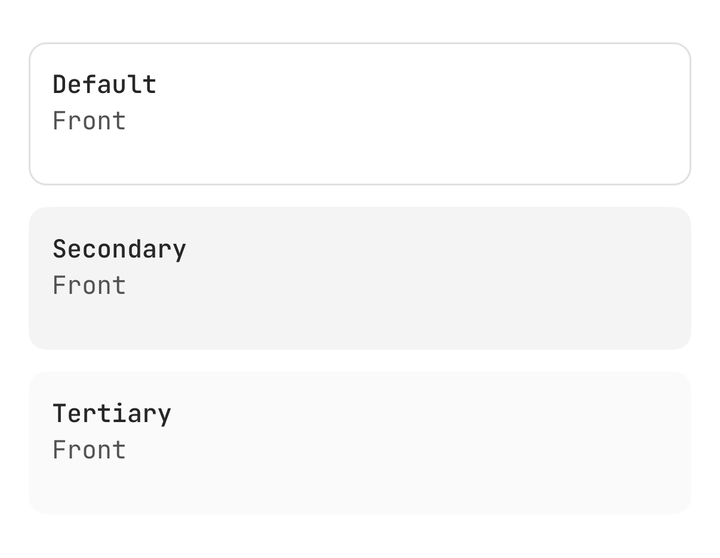
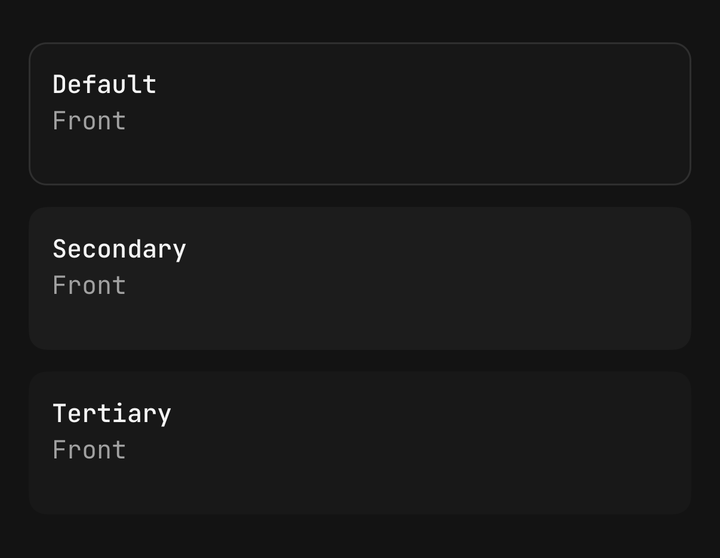
The back must be opaque. A transparent back shows the front through it on the frames either side
of the swap, and warns in development.
API Reference
Anatomy
| Part | What it is |
|---|---|
FlipCard | The card. Owns the face, the rotation, the gesture and the announcement |
FlipCard.Front | The face it starts on — in flow, sizing the card |
FlipCard.Back | The face behind, filling the card. Must be opaque |
FlipCard.Trigger | A Pressable that turns the card, under every trigger |
FlipCard
ViewProps, minus children.
Prop
Type
FlipCard.Front / FlipCard.Back
Prop
Type
FlipCard.Trigger
PressableProps, minus onPress — the press is the turn.
Prop
Type
useFlipCard
function useFlipCard(): {
  face: FlipCardFace;
  flip: () => void;
  flipTo: (face: FlipCardFace) => void;
  isFlipping: boolean;
};
Throws outside a <FlipCard>.