AnimatedBadge
A status pill that rolls its content and springs its width when the status changes.
Installation
AnimatedBadge ships with the library — install it once, then import:
import { AnimatedBadge } from "@delacour/react-native-ui/animated-badge";Or copy the source into your project, to own and edit it:
bunx delacour@latest add animated-badgeUsage
import { AnimatedBadge } from "@/components/ui/animated-badge";
import { View } from "react-native";

export default function Example() {
  return (
    <View className="flex-1 items-center justify-center p-4">
      <AnimatedBadge status="success">Live</AnimatedBadge>
    </View>
  );
}
When status or the words change, the old glyph and label roll out, the new ones roll in, and the
capsule springs to the new width. A badge that swaps "Building" for "Live" between one frame and
the next is easy to miss; one that moves is not.
It is not a replacement for Badge. Badge is a static label with four paints, six colours and
composed content; AnimatedBadge has one paint, one job and a small closed API. Reach for Badge
for a tag, a count, or anything tappable.
Statuses
Each status picks a colour from Badge's soft row and a glyph. loading draws a spinner, swells
gently and marks the badge busy.
<AnimatedBadge status="neutral">Queued</AnimatedBadge>
<AnimatedBadge status="loading">Building</AnimatedBadge>
<AnimatedBadge status="info">Deploying</AnimatedBadge>
<AnimatedBadge status="success">Live</AnimatedBadge>
<AnimatedBadge status="warning">Degraded</AnimatedBadge>
<AnimatedBadge status="destructive">Failed</AnimatedBadge>
warning is a triangle and destructive a circle, so the two read apart without colour.
Sizes
sm for a list row or a sentence, md standalone. Both are Badge's own padding, type and icon
step, so an AnimatedBadge and a Badge of the same size sit level. A size is padding, never a
height, so the badge grows with OS font scaling.
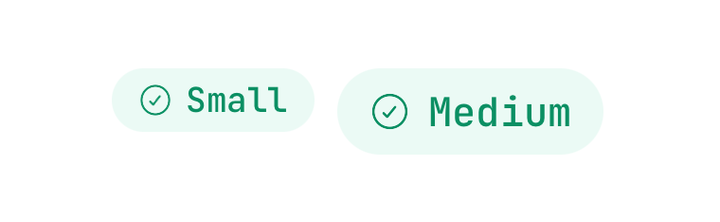
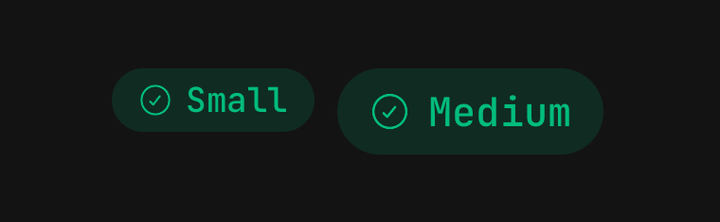
<AnimatedBadge size="sm" status="success">Small</AnimatedBadge>
<AnimatedBadge size="md" status="success">Medium</AnimatedBadge>
Icons
icon replaces the status's glyph and takes an icon component, not an element — the badge renders
it at its own icon size and colour. showIcon={false} drops the glyph.
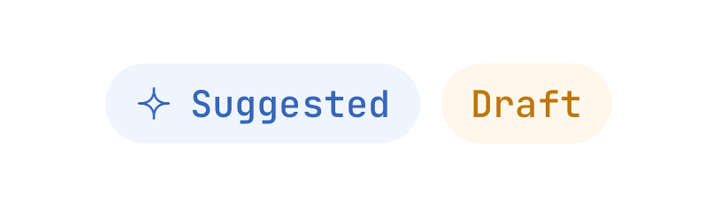
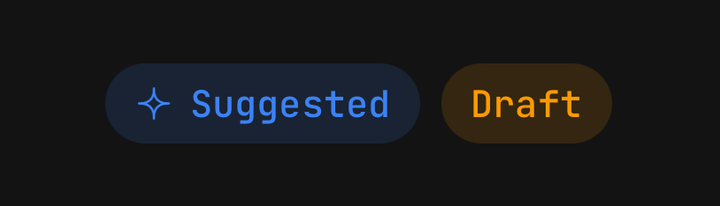
import { IconSparkle } from "@delacour/react-native-ui/icons/central";

<AnimatedBadge icon={IconSparkle} status="info">Suggested</AnimatedBadge>
<AnimatedBadge showIcon={false} status="warning">Draft</AnimatedBadge>
Passing both icon and showIcon={false} is a type error.
Inside text
animateLayout (on by default) springs the badge to a new position when the layout around it
moves. Inside a sentence that reflows, that would slide the badge across lines, so turn it off:
<View className="flex-row flex-wrap items-center gap-1">
  <Text.Paragraph>This listing has</Text.Paragraph>
  <AnimatedBadge animateLayout={false} showIcon={false} size="sm" status="info">
    {`${count} reviews`}
  </AnimatedBadge>
  <Text.Paragraph>from verified buyers.</Text.Paragraph>
</View>
Change detection
A roll is keyed on the status and the label's words. A string, a number, or an array of only those is read as the words; the same words and status across a re-render do nothing.
A label that is an element cannot be read, so it rolls only when status changes. Pass
contentKey to roll it on your own key — or to roll the same words again, such as a counter that
resets:
<AnimatedBadge contentKey={attempt} status="loading">
  <Text>Retrying</Text>
</AnimatedBadge>
Changes that arrive mid-roll are not queued: the badge settles on the newest one.
Motion and reduced motion
The roll, the width spring and the layout spring all run on the UI thread; nothing re-renders to animate.
With the system's Reduce Motion setting on, every motion cuts over: the words swap in place, the
capsule takes its new width at once, the badge does not slide, and nothing pulses. With
DelacourProvider's isMotionCalm alone — for an end-to-end build — only the pulse holds still;
the roll and the springs settle on their own, which is all a test runner waits for.
Accessibility
- The badge is read as one piece of text — its label, or your
accessibilityLabel. - The glyph is hidden; it repeats the word.
loadingsetsaccessibilityState.busy.- A change is announced once the new content lands: a polite live region on Android, an announcement on iOS. Never on mount.
- Pass
announce={false}for a badge repeated down a long list, where every row announcing is noise. - There is no
onPress: a status reports, it does not act. A tappable status is aBadgewithonPress.
API Reference
AnimatedBadgeProps
Extends React Native's ViewProps.
Prop
Type