Pagination
Moves through pages of a result set — a fixed-width run of numbers and gaps, a compact readout, or labelled arrows.
Installation
Pagination ships with the library — install it once, then import:
import { Pagination } from "@delacour/react-native-ui/pagination";Or copy the source into your project, to own and edit it:
bunx delacour@latest add paginationUsage
import { Pagination } from "@/components/ui/pagination";
import { useState } from "react";
import { View } from "react-native";

export default function Example() {
  const [page, setPage] = useState(1);

  return (
    <View className="flex-1 justify-center p-4">
      <Pagination count={24} page={page} onPageChange={setPage} />
    </View>
  );
}
Numbers
The run keeps 2 × boundaries + 2 × siblings + 3 targets on every page, so the number under your
thumb never slides away; tap a gap to jump pageJump pages.
<Pagination count={100} page={page} onPageChange={setPage} />
<Pagination count={100} siblings={1} boundaries={0} page={page} onPageChange={setPage} />
Compact
One "3 / 12" readout between the arrows — and one adjustable element for VoiceOver, which swipes a page at a time.
<Pagination count={12} variant="compact" />Simple
Two labelled arrows and nothing between them.
<Pagination count={8} variant="simple" />Sizes
sm draws at 36 points and reaches out to 44 with hit slop, so the run is tighter but no harder to
hit.
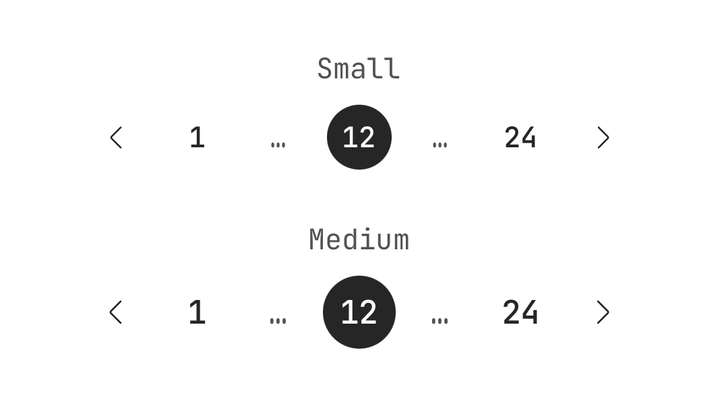
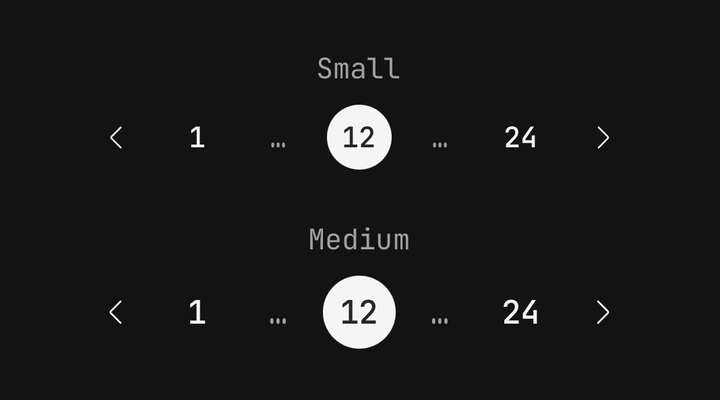
<Pagination count={24} size="sm" />
<Pagination count={24} size="md" />
With a summary
Leading content sits at the start and pushes the arrows to the end. Pagination.Status reads the
page from the pagination it sits in.
<Pagination count={Math.ceil(472 / 20)} page={page} onPageChange={setPage} variant="compact">
  <Pagination.Summary>
    <Pagination.Status pageSize={20} total={472} />
  </Pagination.Summary>
</Pagination>
A controlled list
The pagination owns the arithmetic; you slice the rows.
const PAGE_SIZE = 20;
const rows = orders.slice((page - 1) * PAGE_SIZE, page * PAGE_SIZE);

<Pagination count={Math.ceil(orders.length / PAGE_SIZE)} page={page} onPageChange={setPage} />
A controlled page outside [1, count] — left behind when the result set shrinks — is drawn
clamped, and onPageChange is called once with the clamp.
Disabled
<Pagination count={24} isDisabled />Reading the pagination's state
Use usePagination() for a custom part — a jump-to-page field, a page-size picker — that has to
agree with the pagination it sits in.
import { usePagination } from "@delacour/react-native-ui/pagination";

function PageField() {
  const { page, count, select } = usePagination();
  // …
}
API Reference
Anatomy
| Part | What it is |
|---|---|
Pagination | Owns the page, clamps it, and draws its variant's run when it has no run children |
Pagination.Item | One page number — filled when current |
Pagination.Previous | The back arrow. Disabled on the first page |
Pagination.Next | The forward arrow. Disabled on the last page |
Pagination.Ellipsis | A gap that jumps pageJump pages the way it points |
Pagination.Summary | Leading content; pushes the run to the trailing edge |
Pagination.Status | "41–60 of 472", from the current page |
Children that include Item, Previous, Next or Ellipsis replace the default run, for a run
built by hand.
Pagination
Extends ViewProps. Pages are one-based.
Prop
Type
Pagination.Item, Previous, Next and Ellipsis
Each is a Pressable, so feedback, haptic and the rest are inherited — see
Pressable.
Prop
Type
Pagination.Summary
Extends ViewProps.
Prop
Type
Pagination.Status
Extends Text's props.
Prop
Type
Exports
import {
  Pagination,
  type PaginationProps,
  PAGINATION_VARIANTS,
  PAGINATION_SIZES,
  resolvePaginationRange,
  usePagination,
} from "@delacour/react-native-ui/pagination";