SectionRail
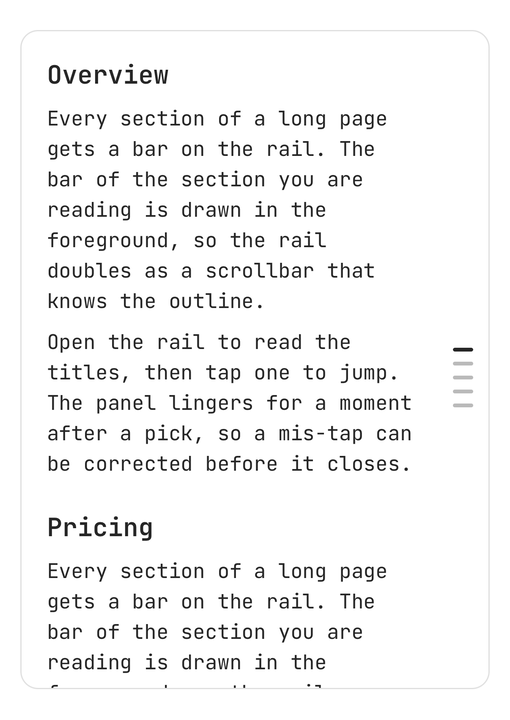
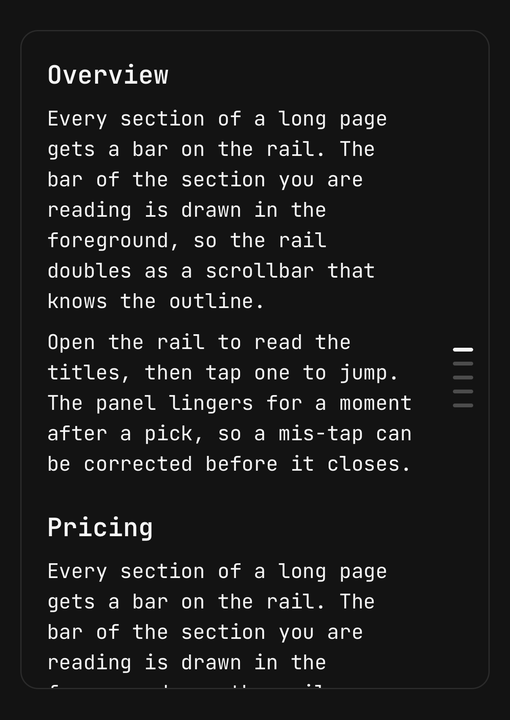
A thin rail of bars along a screen edge — one per section of a long screen — that opens into an outline to jump or scrub through.
Installation
SectionRail ships with the library — install it once, then import:
import { SectionRail } from "@delacour/react-native-ui/section-rail";Or copy the source into your project, to own and edit it:
bunx delacour@latest add section-railadd section-rail brings useScrollSections with it — the hook that tells the rail which section
the reader is in.
Usage
Mount the rail as the last child of the screen's container, a sibling of the scroll view. It fills that container and passes every touch it does not own through, so the content keeps scrolling everywhere but the rail.
import { SectionRail } from "@/components/ui/section-rail";
import { useScrollSections } from "@/hooks/use-scroll-sections";
import { Text } from "@/components/ui/text";
import { View } from "react-native";
import Animated from "react-native-reanimated";

const SECTIONS = [
  { id: "intro", title: "Introduction", level: 0, body: "What the library is and who it is for." },
  { id: "setup", title: "Setup", level: 0, body: "Install the package and wrap your app." },
  { id: "setup-ios", title: "iOS", level: 1, body: "Run pod install, then rebuild the dev client." },
  { id: "faq", title: "Questions", level: 0, body: "The answers people ask for most." },
] as const;

export default function Example() {
  const sections = useScrollSections({ readingLine: 16 });

  return (
    <View className="flex-1">
      <Animated.ScrollView
        ref={sections.scrollRef}
        onScroll={sections.scrollHandler}
        scrollEventThrottle={16}
        contentContainerClassName="gap-6 p-5 pe-14"
      >
        {SECTIONS.map((section) => (
          <View key={section.id} onLayout={sections.register(section.id)}>
            <Text.Header>{section.title}</Text.Header>
            <Text.Paragraph>{section.body}</Text.Paragraph>
          </View>
        ))}
      </Animated.ScrollView>

      <SectionRail value={sections.activeId} onValueChange={sections.scrollTo} align="bottom">
        <SectionRail.Trigger>
          {SECTIONS.map((section) => (
            <SectionRail.Bar key={section.id} value={section.id} level={section.level} />
          ))}
        </SectionRail.Trigger>
        <SectionRail.Content>
          {SECTIONS.map((section) => (
            <SectionRail.Item key={section.id} value={section.id} level={section.level}>
              {section.title}
            </SectionRail.Item>
          ))}
        </SectionRail.Content>
      </SectionRail>
    </View>
  );
}
Tap the rail to open the outline, then tap a row to jump there. Or scrub: drag along the rail
and the row under your finger highlights; let go to jump. After a pick the panel lingers for
closeDelay (300ms) so a mis-tap can be corrected. An outside tap or Android's back closes it.
The bars and the rows are written separately and should mirror each other — the same values in the
same order with the same levels. Map both from one array, as above.
Placement
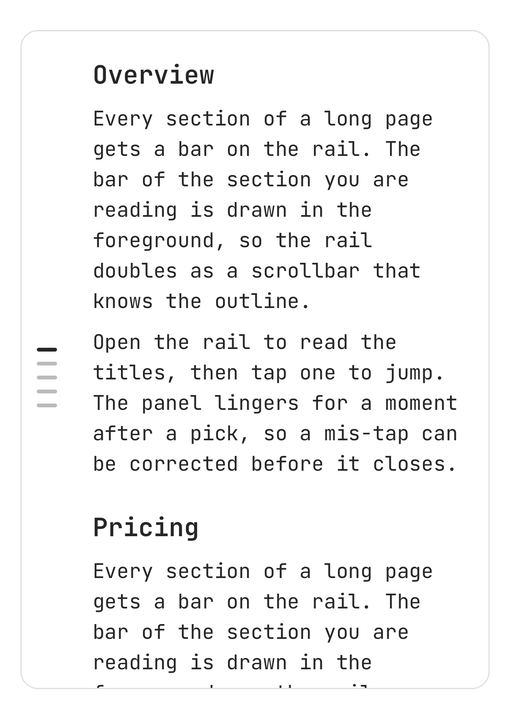
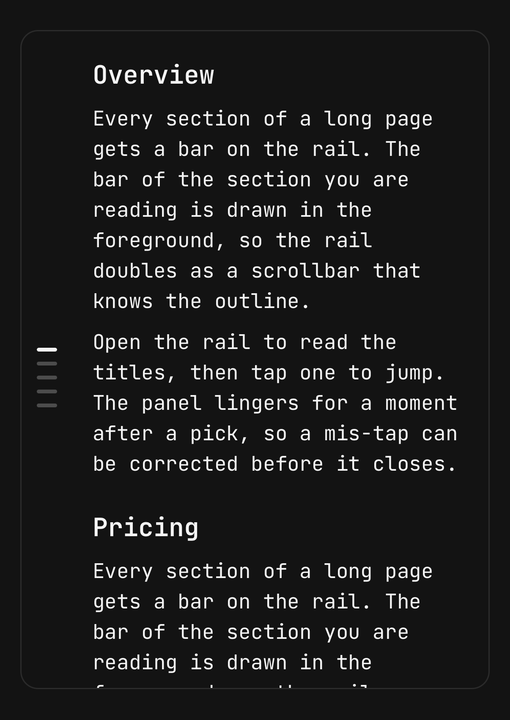
placement picks the edge — end (the default, the right in left-to-right) or start. align
picks where along it: center (the default), or bottom, which keeps the rail in the thumb's reach
and grows the panel upward from the bottom corner. offset is the gap to the safe-area edge.
<SectionRail placement="start">…</SectionRail>
<SectionRail align="bottom" offset={16}>…</SectionRail>
Nested sections
level shortens a bar and indents its row by the same step, so the rail and the outline agree
about what nests. Level 2 and deeper share the shortest bar. Titles wrap to two lines, then
truncate.
<SectionRail.Trigger>
  <SectionRail.Bar value="layout" />
  <SectionRail.Bar value="layout-flex" level={1} />
  <SectionRail.Bar value="layout-flex-wrap" level={2} />
</SectionRail.Trigger>
<SectionRail.Content>
  <SectionRail.Item value="layout">Layout</SectionRail.Item>
  <SectionRail.Item value="layout-flex" level={1}>Flexbox</SectionRail.Item>
  <SectionRail.Item value="layout-flex-wrap" level={2}>Wrapping</SectionRail.Item>
</SectionRail.Content>
Driving a pager
There is no pager mode. Give the rail the page as its value and scroll the pager in
onValueChange.
const [page, setPage] = useState("welcome");

<SectionRail
  value={page}
  onValueChange={(id) => {
    setPage(id);
    pager.current?.scrollTo({ x: PAGES.findIndex((p) => p.id === id) * width });
  }}
>
  …
</SectionRail>
Controlled open state
isOpen and onOpenChange hand the panel to you. The rail still asks to close after a pick, on an
outside tap and on back.
const [isOpen, setOpen] = useState(false);

<Button onPress={() => setOpen(true)}>Show outline</Button>
<SectionRail isOpen={isOpen} onOpenChange={setOpen} value={section} onValueChange={setSection}>
  …
</SectionRail>
Haptics
haptic ticks once per section crossed while scrubbing, and once on a tap that opens the panel.
It is off by default.
<SectionRail haptic="selection">…</SectionRail>Accessibility
- The rail is one adjustable element named "Sections", valued by the active section's title. Swipe up or down to move to the next or previous section; double-tap to open the outline.
- The bars are hidden from VoiceOver and TalkBack — the rail speaks for them.
- Rows are buttons, the active one announced selected. When the outline opens, focus moves to the section you are in.
- The open outline is modal to VoiceOver, and the escape gesture closes it.
- The rail is at least 44 points wide however thin its bars, and each row at least 44 points tall.
- Reduce motion keeps the panel's fade and drops its scale.
API Reference
Anatomy
| Part | What it is |
|---|---|
SectionRail | Owns the value, the open state and the placement; fills its container |
SectionRail.Trigger | The rail — the bars' column, its tap and scrub, and the adjustable element |
SectionRail.Bar | One section's bar. A direct child of the trigger |
SectionRail.Content | The outline panel that opens from the rail's edge |
SectionRail.Item | One row of the outline |
SectionRail
Extends ViewProps.
Prop
Type
SectionRail.Trigger
Extends ViewProps. Its children are the bars.
Prop
Type
SectionRail.Bar
Extends ViewProps.
Prop
Type
A bar must be a direct child of SectionRail.Trigger. The scrub maps your finger through each bar's
measured box, which is relative to its parent — a wrapper between them shifts every box.
SectionRail.Content
Extends ViewProps.
Prop
Type
SectionRail.Item
A row is a Pressable, so feedback, haptic and the rest are inherited — see
Pressable.
Prop
Type
Exports
import {
  SectionRail,
  type SectionRailProps,
  SECTION_RAIL_PLACEMENTS,
  SECTION_RAIL_ALIGNS,
  useSectionRail,
} from "@delacour/react-native-ui/section-rail";
Feedback
A dialog for writing — "What should we fix first?", a bug report, a one-question survey — with the field in a recessed well and the actions on the band around it.
SectionProgress
A floating pill over a long read — a ring filling with scroll progress, the section being read, and a list to jump between them.