Message Scroller
A conversation list that sticks to the newest message, jumps back with an unread count and loads older history.
Installation
MessageScroller ships with the library — install it once, then import:
import { MessageScroller } from "@delacour/react-native-ui/message-scroller";Or copy the source into your project, to own and edit it:
bunx delacour@latest add message-scrollerMessageScroller draws its list with LegendList and lifts it with keyboard-controller. Both are
peers: @legendapp/list and react-native-keyboard-controller must be installed, and the app
must sit inside DelacourProvider (or a KeyboardProvider of its own).
Usage
import { MessageScroller } from "@/components/ui/message-scroller";
import { Text } from "@/components/ui/text";
import { View } from "react-native";

type ChatMessage = { id: string; authorId: string; text: string; sentAt: Date };

const MESSAGES: ChatMessage[] = [
  { id: "1", authorId: "aria", text: "Are we still on for Saturday?", sentAt: new Date(2026, 9, 5, 9, 0) },
  { id: "2", authorId: "me", text: "Yes! What time works?", sentAt: new Date(2026, 9, 5, 9, 1) },
  { id: "3", authorId: "aria", text: "Ten-ish?", sentAt: new Date(2026, 9, 5, 9, 2) },
];

export default function Example() {
  return (
    <MessageScroller
      className="flex-1"
      messages={MESSAGES}
      getKey={(message) => message.id}
      getDate={(message) => message.sentAt}
      getSenderId={(message) => message.authorId}
      viewerId="me"
      renderMessage={({ message }) => (
        <View className="mt-2 self-start rounded-2xl bg-secondary px-3 py-2">
          <Text className="text-secondary-foreground">{message.text}</Text>
        </View>
      )}
    />
  );
}
messages is chronological, oldest first, and is never sorted for you. The scroller has no size of
its own: give the root a className that sizes it.
Stick to the newest
While the reader is within stickThreshold points of the end (80 by default), a new message pulls
the list with it. Once they scroll up into history, new messages land without moving them. A
message from viewerId always scrolls to the end — sending is a request to see what you sent.
Jump to latest
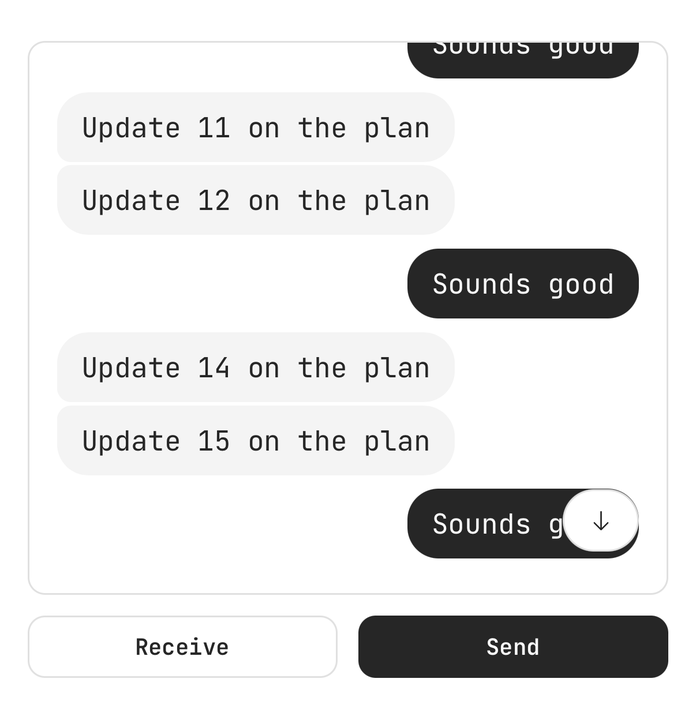
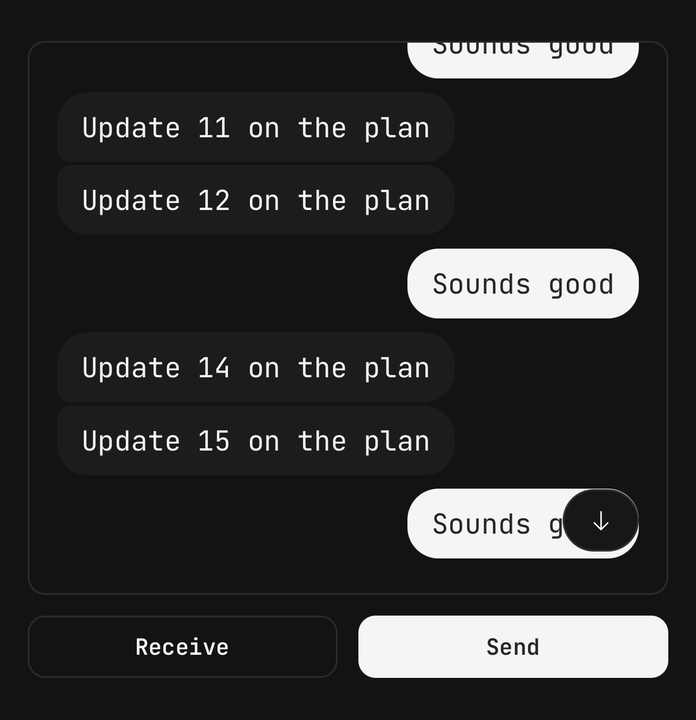
With no children, the scroller draws its list and a floating jump button. The button appears once the reader is half as far again past the threshold, so it cannot flicker at the edge, and shows how many messages from other people arrived while they were away. Tapping it scrolls to the end and clears the count.
Pass children to place it yourself, or to restyle it:
<MessageScroller {...props}>
  <MessageScroller.List />
  <MessageScroller.JumpButton placement="center" label="New messages" />
</MessageScroller>
Loading older messages
Set hasOlder while more history exists. Reaching the top calls onLoadOlder once; it is not
called again until the first message changes — the page you prepend is what re-arms it — and never
while isLoadingOlder is true, during which a spinner row sits above the first message. The page
lands without moving what the reader was looking at.
<MessageScroller
  {...props}
  hasOlder={hasOlder}
  isLoadingOlder={isFetchingOlder}
  onLoadOlder={fetchOlder}
/>
Date separators and the unread divider
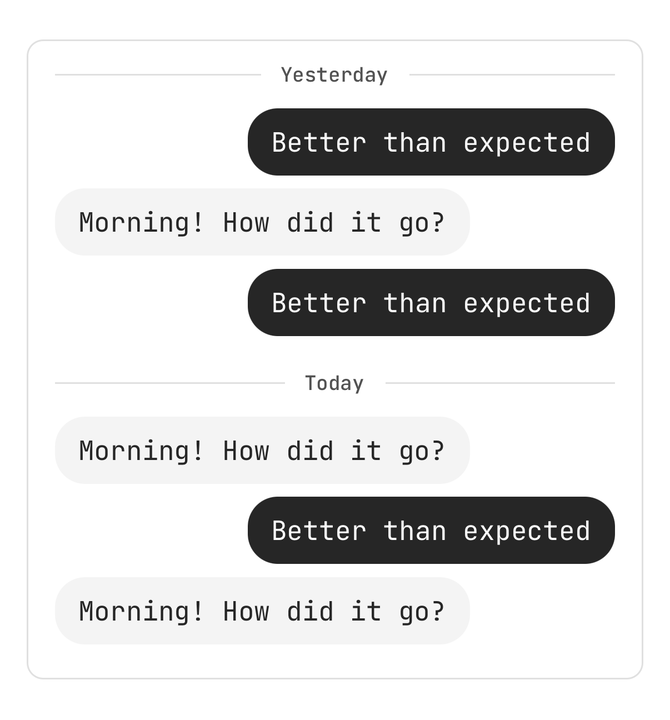
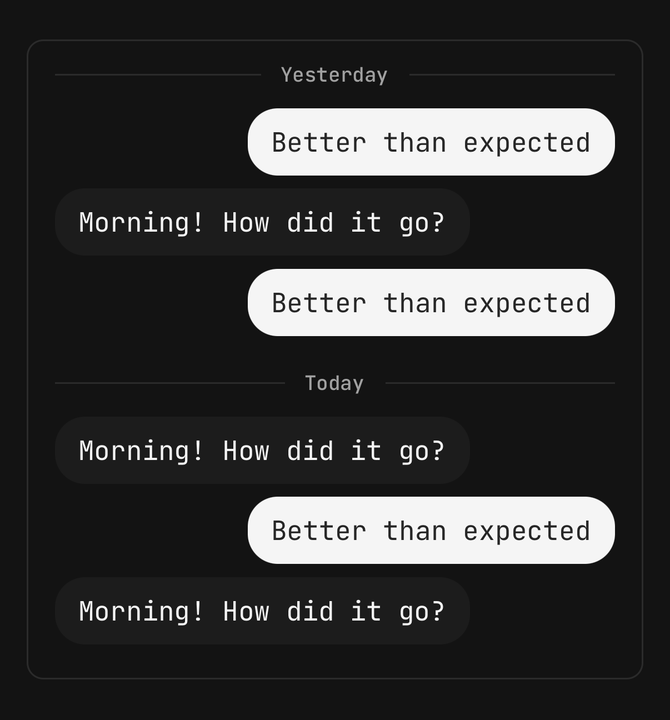
A separator is drawn at each new calendar day: Today, Yesterday, a weekday inside the last week,
then the date. Turn them off with separateDates={false}, or write your own labels with
formatDate. A new day always starts a new run, separator or not.
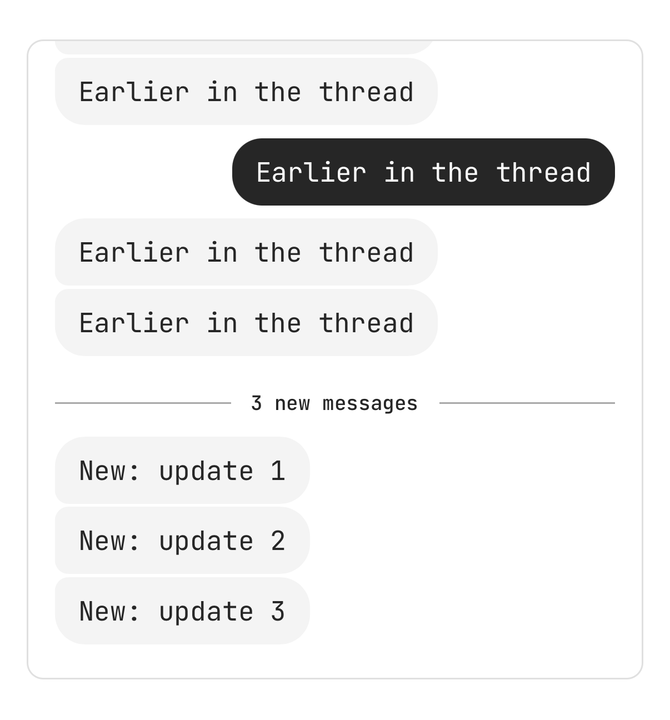
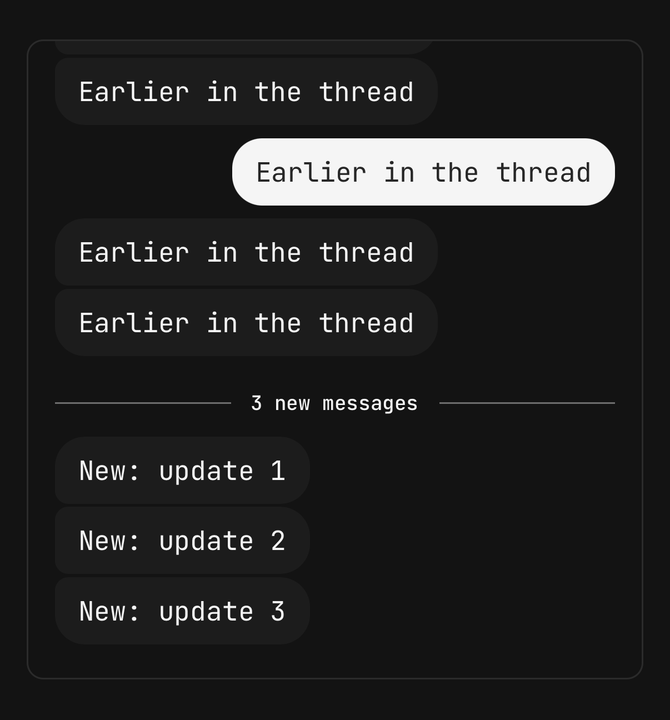
firstUnreadKey draws an "N new messages" rule above that message, and
initialScrollTarget="unread" opens the list there instead of at the end.
Keyboard
The list rises with the keyboard by its height less keyboardOffset — the distance from the bottom
of the list to the bottom of the screen. A reader at the end stays at the end; a reader in history
keeps their place. bottomInset reserves room below the newest message for a composer drawn over
the list, and the jump button floats above it.
Rendering a message
renderMessage gets the app's own message type back, with no casts, plus where it sits in its
sender's run:
position | Means |
|---|---|
single | The only message in its run |
first | Opens a run of two or more |
middle | Inside a run |
last | Closes a run |
A run breaks on a change of sender, a gap longer than runWindowMs (five minutes), a new day or the
unread divider. Pass position straight to a bubble that rounds its corners by it. isNew is true
for a message that arrived after the list first rendered — gate an entrance animation on it, so
history does not animate in.
Using it with Screen.ChatList
useMessageScrollerState is the same behaviour without the list. Spread what it returns onto
Screen.ChatList and the jump button works beside it:
import { MessageScroller, useMessageScrollerState } from "@/components/ui/message-scroller";

const scroller = useMessageScrollerState({
  keys: messages.map((message) => message.id),
  isOwn: (key) => byId.get(key)?.authorId === viewerId,
});

<MessageScroller.Provider value={scroller}>
  <Screen.ChatList
    ref={scroller.listRef}
    sharedValues={scroller.sharedValues}
    onLayout={scroller.onLayout}
    onContentSizeChange={scroller.onContentSizeChange}
    maintainScrollAtEndThreshold={scroller.maintainScrollAtEndThreshold}
    data={messages}
    keyExtractor={(message) => message.id}
    renderItem={renderItem}
  />
  <MessageScroller.JumpButton />
</MessageScroller.Provider>
Accessibility
- The list is not inverted. An inverted list flips its rows with a transform, and VoiceOver then reads the conversation backwards; this one anchors to the end with the order intact, so a screen reader walks it oldest to newest.
- Date separators and the unread divider are headers, so heading navigation moves a day at a time.
- A message from someone else arriving while the reader is at the end is announced — "New message from Aria" — and several inside a second and a half become one "3 new messages".
- The jump button says its count: "Jump to latest, 3 unread". Hidden, it is out of the accessibility tree and cannot be tapped.
- Under reduce motion, scrolling to the end jumps instead of animating and the jump button fades without sliding.
API Reference
Anatomy
| Part | What it is |
|---|---|
MessageScroller | Owns the messages, the rows and the scroll state; with no children draws List and JumpButton |
MessageScroller.List | The keyboard-aware list itself |
MessageScroller.JumpButton | The floating "jump to latest" pill and its count |
MessageScroller.DateSeparator | A day's label between hairlines |
MessageScroller.UnreadDivider | The "N new messages" rule |
MessageScroller.LoadingOlder | The spinner row shown while an older page loads |
MessageScroller.Provider | Supplies a useMessageScrollerState value to parts outside a MessageScroller |
MessageScroller
Prop
Type
MessageScroller.JumpButton
Prop
Type
MessageScrollerController
Prop
Type
useMessageScrollerState
Prop
Type