ScrollBlur
A progressive blur at a scrollable's edges that keeps floating controls legible over any background, with a gradient fallback.
Installation
ScrollBlur ships with the library — install it once, then import:
import { ScrollBlur } from "@delacour/react-native-ui/scroll-blur";Or copy the source into your project, to own and edit it:
bunx delacour@latest add scroll-blurThe blur comes from an engine you name once at the root; without one, the band is a gradient fade.
bunx delacour@latest add blur-layerRebuild the dev client
expo-blur is a native module: after installing it, rebuild the dev client (npx expo run:ios, or
an EAS development build). An over-the-air update cannot add it, and without the rebuild every band
silently draws the gradient fallback.
import { ScrollBlurLayerProvider } from "@/components/ui/scroll-blur";
import { DelacourProvider } from "@/components/ui/provider";
import { ExpoBlurLayer } from "@/lib/expo/blur-layer";
import { Stack } from "expo-router";

export default function RootLayout() {
  return (
    <DelacourProvider>
      <ScrollBlurLayerProvider layer={ExpoBlurLayer}>
        <Stack />
      </ScrollBlurLayerProvider>
    </DelacourProvider>
  );
}
Usage
import { Button } from "@/components/ui/button";
import { ScrollBlur } from "@/components/ui/scroll-blur";
import { Text } from "@/components/ui/text";
import { useScrollSource } from "@/hooks/use-scroll-source";
import { View } from "react-native";
import Animated from "react-native-reanimated";

const COLORS = ["#f59e0b", "#06b6d4", "#22c55e", "#8b5cf6", "#ef4444", "#3b82f6", "#ec4899"];

export default function Example() {
  const { source, scrollProps } = useScrollSource();

  return (
    <View className="flex-1">
      <ScrollBlur className="flex-1" edges="end" scrollSource={source} size={96}>
        <Animated.ScrollView contentContainerClassName="gap-2 p-4 pb-24" {...scrollProps}>
          {COLORS.map((color) => (
            <View className="h-20 justify-end rounded-lg p-4" key={color} style={{ backgroundColor: color }}>
              <Text.Header className="text-white">{color}</Text.Header>
            </View>
          ))}
        </Animated.ScrollView>
      </ScrollBlur>
      <View className="absolute inset-x-0 bottom-0 p-4">
        <Button>
          <Button.Label>Continue</Button.Label>
        </Button>
      </View>
    </View>
  );
}
The floating control is a sibling after the ScrollBlur, never a child, or it sits under its own blur.
Start edge
A start band is clear at rest and arrives over the first fadeInDistance points of travel.
<ScrollBlur edges="start" scrollSource={source} size={96}>
  <Animated.ScrollView {...scrollProps}>…</Animated.ScrollView>
</ScrollBlur>
Horizontal
The source fixes the axis, so a horizontal scrollable gets left and right bands.
const { source, scrollProps } = useScrollSource({ orientation: "horizontal" });Blur or fade
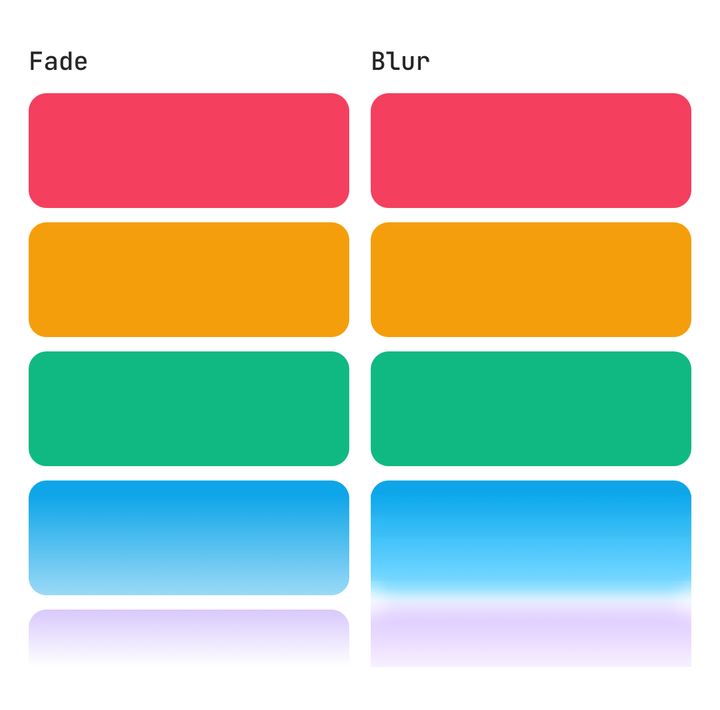
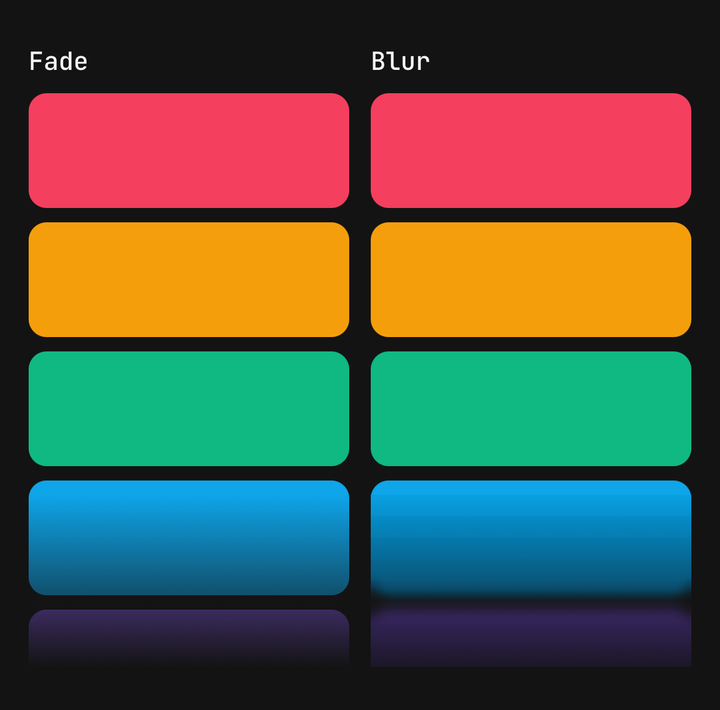
Over coloured content a fade reads as a grey band and a blur keeps the colour; over a plain page a fade is cheaper and looks the same.
Layers and intensity
layers strips approximate the ramp — more is smoother and costs a native view each — and intensity is the blur at the edge.
<ScrollBlur intensity={90} layers={16} scrollSource={source}>…</ScrollBlur>Fallback
With no engine, layer={null} on a provider, Reduce Transparency on, or on Android, the band is a gradient solid at the edge.
<ScrollBlurLayerProvider layer={null}>…</ScrollBlurLayerProvider>Accessibility
The bands take no touches and are hidden from assistive technology, and Reduce Transparency swaps the blur for an opaque wash live.
API Reference
ScrollBlurProps
Extends React Native's ViewProps.
Prop
Type
ScrollBlurLayerProvider
Prop
Type
BlurLayerProps
What an engine receives — implement it to use a blur view other than expo-blur's.
Prop
Type