Breadcrumb
The path to the current screen — links back up each level, the current page last.
Installation
Breadcrumb ships with the library — install it once, then import:
import { Breadcrumb } from "@delacour/react-native-ui/breadcrumb";Or copy the source into your project, to own and edit it:
bunx delacour@latest add breadcrumbUsage
import { Breadcrumb } from "@/components/ui/breadcrumb";
import { useRouter } from "expo-router";
import { View } from "react-native";

export default function Example() {
  const router = useRouter();

  return (
    <View className="flex-1 justify-center p-4">
      <Breadcrumb>
        <Breadcrumb.List>
          <Breadcrumb.Item>
            <Breadcrumb.Link onPress={() => router.navigate("/")}>Home</Breadcrumb.Link>
          </Breadcrumb.Item>
          <Breadcrumb.Item>
            <Breadcrumb.Link onPress={() => router.navigate("/settings")}>Settings</Breadcrumb.Link>
          </Breadcrumb.Item>
          <Breadcrumb.Item>
            <Breadcrumb.Page>Security</Breadcrumb.Page>
          </Breadcrumb.Item>
        </Breadcrumb.List>
      </Breadcrumb>
    </View>
  );
}
The list puts a separator between every pair of items and none after the last, so a trail is only
its items. Links take an onPress — there is no router coupling.


Sizes
sm sets the labels on the caption step and md on the body step; the chevrons follow.
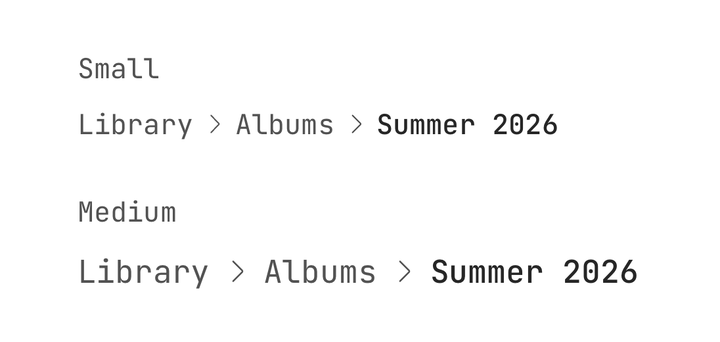
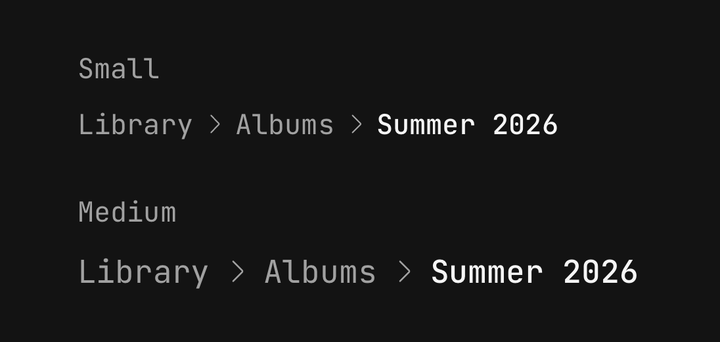
<Breadcrumb size="sm">…</Breadcrumb>
<Breadcrumb size="md">…</Breadcrumb>
Custom separator
The root's separator replaces every chevron; a string is drawn as muted text. An Icon inside a
link takes the glyph's size and colour.
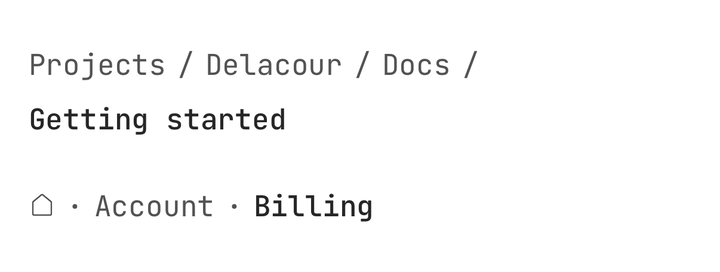
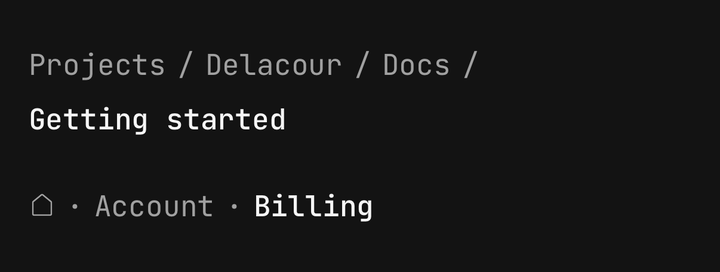
<Breadcrumb separator="/">…</Breadcrumb>

<Breadcrumb.Item>
  <Breadcrumb.Link accessibilityLabel="Home" onPress={goHome}>
    <Icon icon={IconHome} />
  </Breadcrumb.Link>
</Breadcrumb.Item>
To change a single gap, write a Breadcrumb.Separator between two items — it stands in for the
automatic one beside it.
Collapsed
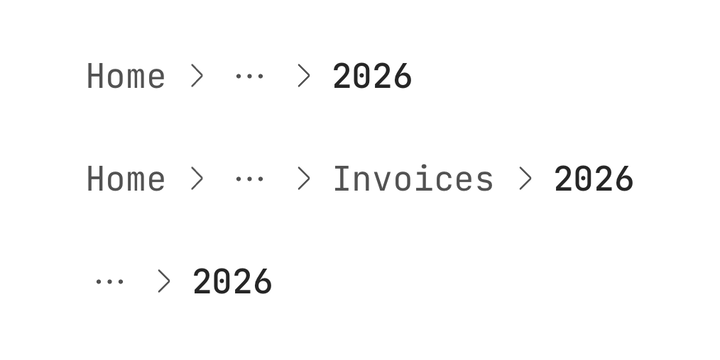
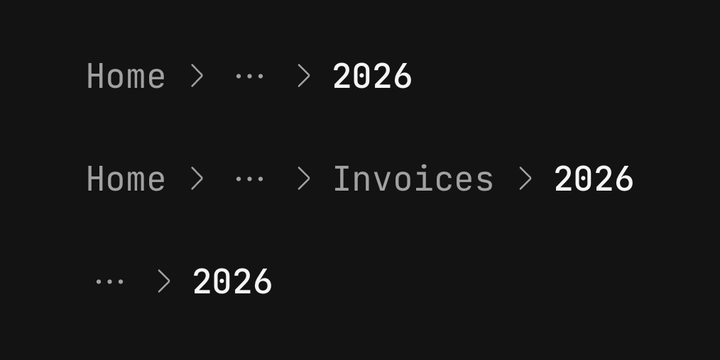
Past maxItems the middle of the trail folds into an ellipsis. itemsBeforeCollapse and
itemsAfterCollapse choose how much of each end stays; the current page always does.
<Breadcrumb.List maxItems={4} itemsAfterCollapse={2}>
  {trail.map((crumb, index) => (
    <Breadcrumb.Item key={crumb.id}>
      {index === trail.length - 1 ? (
        <Breadcrumb.Page>{crumb.title}</Breadcrumb.Page>
      ) : (
        <Breadcrumb.Link onPress={() => go(crumb)}>{crumb.title}</Breadcrumb.Link>
      )}
    </Breadcrumb.Item>
  ))}
</Breadcrumb.List>
Showing the hidden levels
onEllipsisPress turns the ellipsis into a button and hands you the hidden items' indices. Open
whatever suits the screen — a bottom sheet listing them works well on a phone.
<Breadcrumb.List
  maxItems={3}
  onEllipsisPress={(hidden) => {
    setHidden(hidden);
    setSheetOpen(true);
  }}
>
  …
</Breadcrumb.List>
Scroll overflow
overflow="scroll" keeps the whole trail on one line in a horizontal scroller, opened at its end so
the current page is in view.
<Breadcrumb.List overflow="scroll">…</Breadcrumb.List>The list counts the Breadcrumb.Items that are its direct children. Render them directly or from a
.map() — an item behind a wrapper component is not counted, gets no separator, and never collapses.
Accessibility
- Links are announced as links, named by their text, and reach a 44-point touch target.
- The current page is announced selected, with the value "current page".
- Separators are hidden from VoiceOver and TalkBack.
- The ellipsis is announced "Show 3 hidden levels" when pressable, and "3 hidden levels" when not.
- In a right-to-left layout the chevrons point the other way.
API Reference
Anatomy
| Part | What it is |
|---|---|
Breadcrumb | Owns the size and the separator |
Breadcrumb.List | The trail — counts its items, inserts separators, collapses or scrolls |
Breadcrumb.Item | One crumb, holding a Link or the Page |
Breadcrumb.Link | A level above the current page — a Pressable announced as a link |
Breadcrumb.Page | The current page, plain text |
Breadcrumb.Separator | The mark between two crumbs. Inserted automatically |
Breadcrumb.Ellipsis | The dots standing in for collapsed levels. Placed automatically |
Breadcrumb
Extends ViewProps.
Prop
Type
Breadcrumb.List
Extends ViewProps.
Prop
Type
Breadcrumb.Link
A Pressable, so feedback, haptic and the rest are inherited — see
Pressable.
Prop
Type
Breadcrumb.Page
Extends Text's props.
Prop
Type
Breadcrumb.Separator and Breadcrumb.Ellipsis
Both extend ViewProps. Breadcrumb.Ellipsis also takes hiddenCount, onPress and haptic,
for a custom layout.
Prop
Type
Exports
import {
  Breadcrumb,
  type BreadcrumbProps,
  BREADCRUMB_SIZES,
  BREADCRUMB_OVERFLOWS,
  resolveBreadcrumbCollapse,
  useBreadcrumb,
} from "@delacour/react-native-ui/breadcrumb";