Marker
A centred inline note for a step or a day break between conversation turns.
Installation
Marker ships with the library — install it once, then import:
import { Marker } from "@delacour/react-native-ui/marker";Or copy the source into your project, to own and edit it:
bunx delacour@latest add markerUsage
import { Icon } from "@/components/ui/icon";
import { IconMagnifyingGlass } from "@/lib/icons/central";
import { Marker } from "@/components/ui/marker";
import { View } from "react-native";

export default function Example() {
  return (
    <View className="flex-1 justify-center p-4">
      <Marker>
        <Marker.Icon>
          <Icon icon={IconMagnifyingGlass} />
        </Marker.Icon>
        <Marker.Content>Explored 4 files</Marker.Content>
      </Marker>
    </View>
  );
}
Variants
default is a bare row, border a hairline capsule for closing a section, separator a label
ruled off to both edges for day breaks.
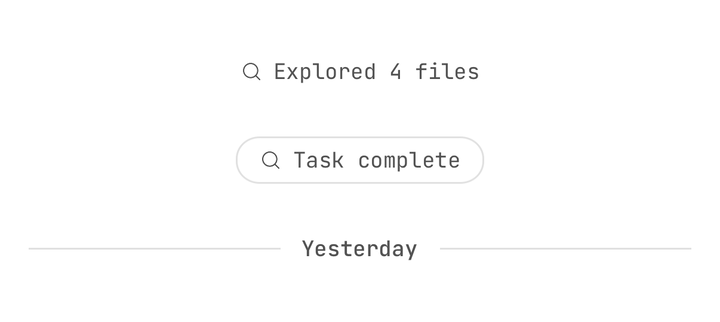
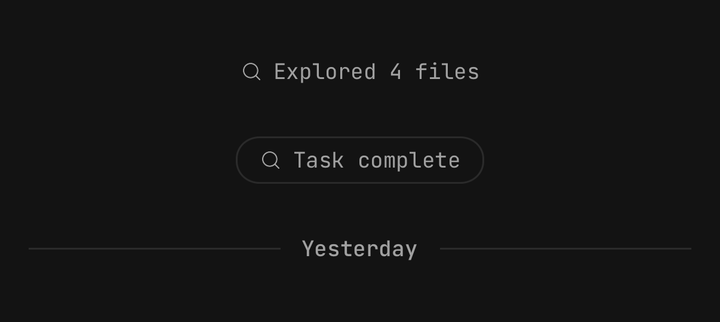
<Marker>Explored 4 files</Marker>
<Marker variant="border">Task complete</Marker>
<Marker variant="separator">Yesterday</Marker>
Pressable
With no onPress and no onLongPress a marker is a plain View, read as text; give it either and
it becomes a Pressable announced as a button.
<Marker accessibilityHint="Shows the files" onPress={() => setIsOpen((open) => !open)}>
  <Marker.Icon>
    <Icon icon={IconMagnifyingGlass} />
  </Marker.Icon>
  <Marker.Content>Explored 4 files</Marker.Content>
</Marker>
Running
shimmer on Marker.Content says the step is still running: the text breathes, and the marker is
announced busy.
<Marker>
  <Marker.Icon>
    <Icon icon={IconMagnifyingGlass} />
  </Marker.Icon>
  <Marker.Content shimmer={step.isRunning}>Searching files</Marker.Content>
</Marker>shimmer the moment the step finishes. A marker that shimmers forever reads as a stuck one.Disabled
isDisabled dims the marker. On a pressable one it also blocks the press and is announced.

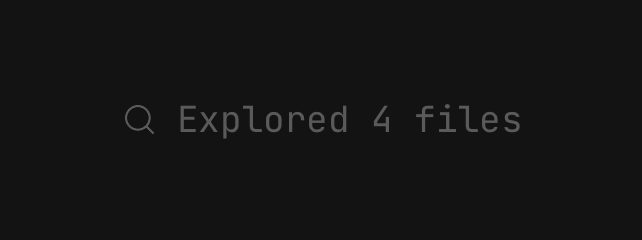
<Marker isDisabled onPress={() => expand(step)}>
  <Marker.Icon>
    <Icon icon={IconMagnifyingGlass} />
  </Marker.Icon>
  <Marker.Content>Explored 4 files</Marker.Content>
</Marker>
Accessibility
- A static marker is one element with the
textrole; its words are read once. - A pressable marker has the
buttonrole, and stays tappable while busy. PassaccessibilityHintto say what the press does. Marker.Iconis hidden from assistive technology, because the glyph restates the text.- The
separatorrules are hidden too. - While any
Marker.Contentinside shimmers, the marker is announced busy.
API Reference
MarkerProps
feedback, haptic, hitSlop, pressedOpacity, pressedScale and accessibilityHint are
accepted only alongside onPress or onLongPress. On a static marker there is nothing for them to
press. See Pressable.
Prop
Type
Marker.Icon
The leading glyph slot, hidden from assistive technology. Extends React Native's ViewProps.
Prop
Type
Marker.Content
The marker's text. It extends Text's props.
Prop
Type