ColorPicker
Pick a colour by dragging — an area, a hue track, an optional opacity track, a hex field and swatches.
Installation
ColorPicker ships with the library — install it once, then import:
import { ColorPicker } from "@delacour/react-native-ui/color-picker";Or copy the source into your project, to own and edit it:
bunx delacour@latest add color-pickerIt needs the sheet engine, even inline
The color-picker subpath imports BottomSheet for its sheet presentation, and Metro resolves
static imports whichever branch renders — so install @delacour/react-native-bottom-sheet even
for an inline picker, the way chart needs its engine. For presentation="sheet", mount
BottomSheetProvider once in the app.
Usage
import { ColorPicker } from "@/components/ui/color-picker";
import { useState } from "react";
import { View } from "react-native";

export default function Example() {
  const [accent, setAccent] = useState("#f59e0b");

  return (
    <View className="flex-1 justify-center p-4">
      <ColorPicker defaultValue={accent} onValueCommit={setAccent} />
    </View>
  );
}
A bare <ColorPicker /> draws its default anatomy: the saturation and brightness area, the hue
track, the opacity track when hasAlpha, and the hex field.
In a sheet
presentation="sheet" puts the surface in a BottomSheet behind a trigger row — a preview, the
hex and a chevron, drawn on Input's own box so it sits level with every field beside it.
<Field>
  <Field.Label>Accent</Field.Label>
  <ColorPicker defaultValue="#f59e0b" hasAlpha presentation="sheet" onValueCommit={save}>
    <ColorPicker.Trigger />
    <ColorPicker.Content>
      <ColorPicker.Area />
      <ColorPicker.Hue />
      <ColorPicker.Alpha />
      <ColorPicker.Input />
      <ColorPicker.Swatches colors={PRESETS} />
    </ColorPicker.Content>
  </ColorPicker>
</Field>
Inside a Field the picker takes its disabled and invalid states, prefixes each part's accessible
name with the label, and opens when the label is tapped — or, inline, focuses the hex field.
Value and formats
value and defaultValue accept #rgb, #rgba, #rrggbb, #rrggbbaa, rgb(), rgba(),
hsl() and hsla(). format picks what the callbacks report:
format | Reported |
|---|---|
"hex" (default) | #rrggbb, or #rrggbbaa below full opacity |
"rgb" | rgb(r, g, b), or rgba(r, g, b, a) |
"hsl" | hsl(h, s%, l%), or hsla(h, s%, l%, a) |
onValueChange fires on every frame of a drag; onValueCommit fires once the change is settled —
a drag released, the field submitted, a swatch tapped. A network write belongs in the second.
<ColorPicker format="hsl" value={value} onValueChange={setValue} onValueCommit={save} />A controlled parent can store whatever onValueChange hands it: the picker recognises its own echo
and keeps the hue of a grey or black rather than snapping it to red.
Alpha
hasAlpha adds the opacity track — the colour fading to a checkerboard, with the same RGB the whole
way. Without it the alpha is pinned at one on every path, and ColorPicker.Alpha renders nothing.
<ColorPicker defaultValue="#3b82f6b3" hasAlpha>
  <ColorPicker.Content>
    <ColorPicker.Area />
    <ColorPicker.Hue />
    <ColorPicker.Alpha />
    <View className="flex-row items-center gap-3">
      <ColorPicker.Preview />
      <ColorPicker.Input className="flex-1" />
    </View>
  </ColorPicker.Content>
</ColorPicker>
Swatches
Presets in any notation. Tapping one sets the colour and commits; the current colour's swatch is ringed, compared as hex.
<ColorPicker.Swatches colors={["#ef4444", "#f59e0b", "#22c55e", "#3b82f6"]} />Sizes and variants
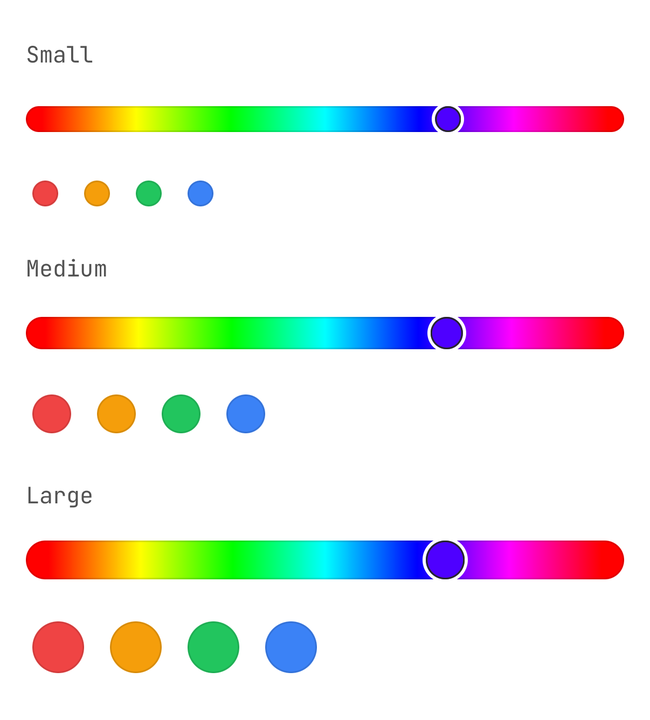
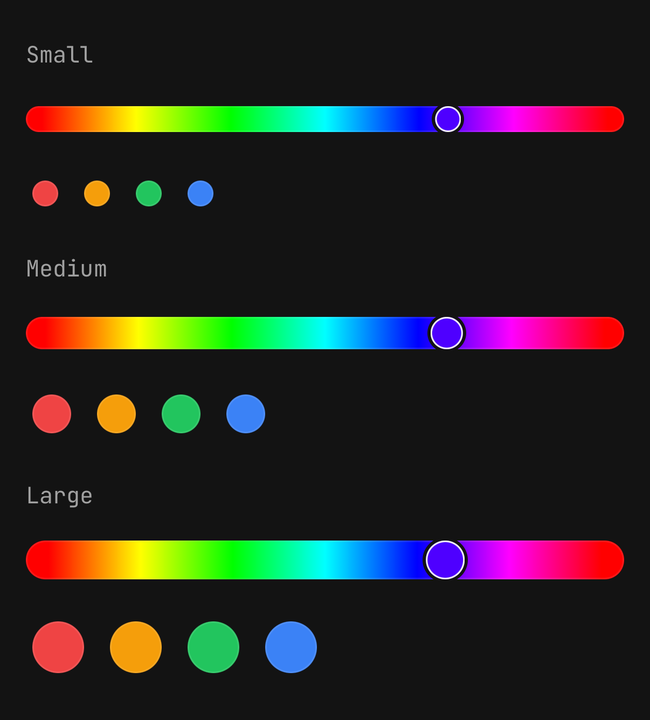
size is Input's sm, md or lg: the area is 160, 200 or 240 points tall, and the tracks,
thumbs, swatches and field step with it. variant (primary, secondary or etched) reaches the trigger
row and the hex field — never the gradients.
States
isDisabled fades the picker and blocks every input path. isReadOnly draws the colour normally
and ignores every drag, tap and keystroke. isInvalid turns the trigger and the field destructive.
Text in the hex field that is not a colour leaves the value alone and marks the field invalid until
it parses.
Accessibility
- The area is adjustable: swipe up and down to step saturation, and use the Brighter and Darker actions for brightness. It reads "Saturation 60 percent, brightness 80 percent".
- The hue track reads "Hue 210 degrees, blue" and steps ten degrees, wrapping; the opacity track steps five percent.
- Swatches are a radio group, labelled by hex.
- The value is announced when a change is committed, never per frame.
API Reference
Anatomy
| Part | What it is |
|---|---|
ColorPicker | Owns the colour, the format and the axes |
ColorPicker.Trigger | The row that opens the sheet. Sheet presentation only |
ColorPicker.Content | The surface — a column inline, the sheet's panel otherwise |
ColorPicker.Area | Saturation across, brightness down |
ColorPicker.Hue | The hue track |
ColorPicker.Alpha | The opacity track. Nothing without hasAlpha |
ColorPicker.Preview | The current colour over a checkerboard |
ColorPicker.Input | The hex field |
ColorPicker.Swatches | A row of presets |
ColorPicker.Swatch | One preset |
ColorPicker
Prop
Type
ColorPicker.Area, .Hue, .Alpha
Prop
Type
ColorPicker.Input
Every Input prop except value, onChangeText, size, variant and isDisabled, which are the
picker's. isInvalid overrides the picker's own state.
ColorPicker.Swatches
Prop
Type
ColorPicker.Swatch
Prop
Type
useColorPicker
Returns the settled state — hsva, rgba, value, hex, the axes, and setHsva(next, { commit })
— for a custom part that has to match the picker it sits in. Throws outside a ColorPicker. The
settled state catches up when a drag ends; it does not follow the finger frame by frame.