Post
A social card with an author, body, media and animated counts.
Installation
Post ships with the library — install it once, then import:
import { Post } from "@delacour/react-native-ui/post";Or copy the source into your project, to own and edit it:
bunx delacour@latest add postUsage
import { Icon } from "@/components/ui/icon";
import { IconBookmark, IconBubble2, IconDotGrid1x3Horizontal, IconHeart } from "@/lib/icons/central";
import { Post } from "@/components/ui/post";
import { useState } from "react";
import { View } from "react-native";

const postedAt = new Date(Date.now() - 42 * 60_000);

export default function Example() {
  const [liked, setLiked] = useState(false);
  const [saved, setSaved] = useState(false);

  return (
    <View className="flex-1 justify-center p-4">
      <Post onPress={() => {}}>
        <Post.Header>
          <Post.Author date={postedAt} handle="@aria" name="Aria Whitlock" verified />
          <Post.Action accessibilityLabel="More" onPress={() => {}}>
            <Icon icon={IconDotGrid1x3Horizontal} />
          </Post.Action>
        </Post.Header>
        <Post.Body>First light on the new engine. #mechanics</Post.Body>
        <Post.Media alt="Brass gears on a workbench" source={{ uri: "https://picsum.photos/id/1067/800/500" }} />
        <Post.Footer>
          <Post.Stat
            active={liked}
            icon={IconHeart}
            label="Like"
            onPress={() => setLiked((on) => !on)}
            tone="like"
            value={liked ? 1235 : 1234}
          />
          <Post.Stat icon={IconBubble2} label="Reply" value={86} />
          <Post.Stat
            active={saved}
            align="end"
            icon={IconBookmark}
            label="Save"
            onPress={() => setSaved((on) => !on)}
            tone="save"
          />
        </Post.Footer>
      </Post>
    </View>
  );
}
Composition
Post
├── Post.Header
│   ├── Post.Author  or  Post.Community
│   └── Post.Action
├── Post.Title
├── Post.Body
├── Post.Media
└── Post.Footer
    ├── Post.Stat …
    └── Post.Votes
Every part is optional, and every part reads the card's variant and size from context — change
the shape on the root and the parts follow.
Variants
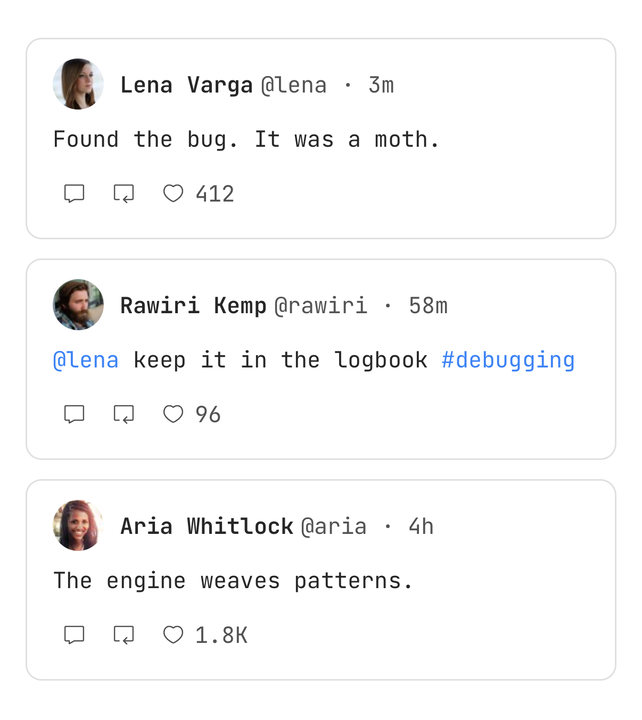
The variant decides padding, the media's frame and where the author sits, never which parts exist.
| Variant | What it is |
|---|---|
feed | The full card — the default |
vote | A ranked community: a community header, a headline and a score pill |
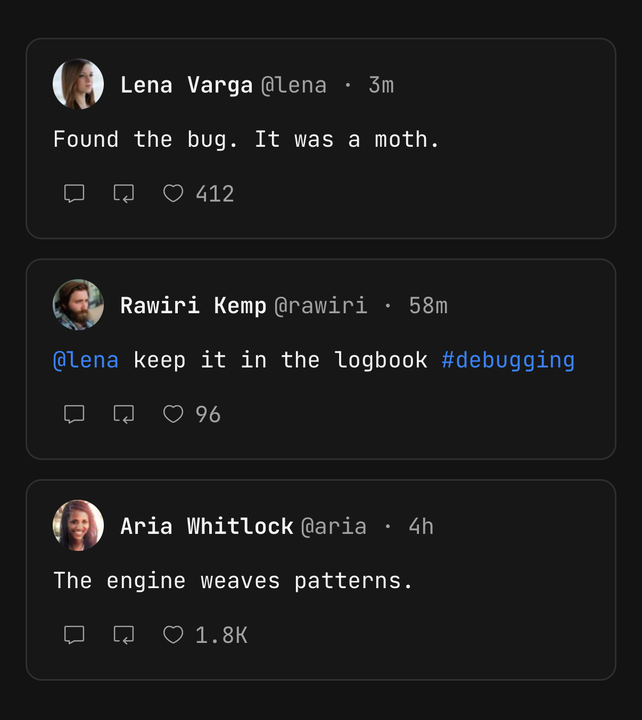
compact | A timeline row — the handle and time inline, a small face, no picture |
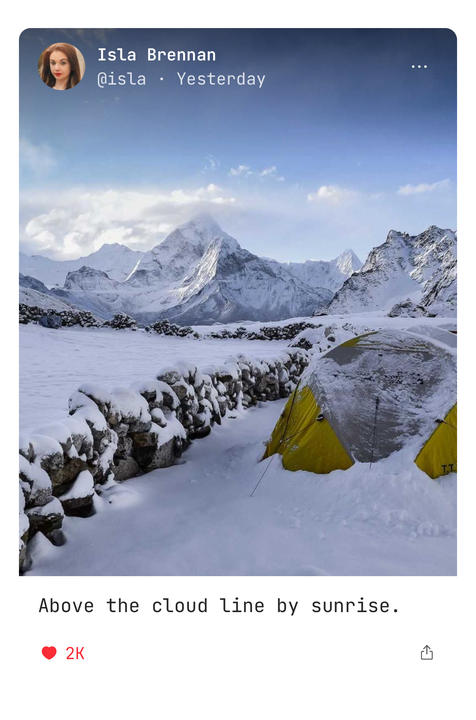
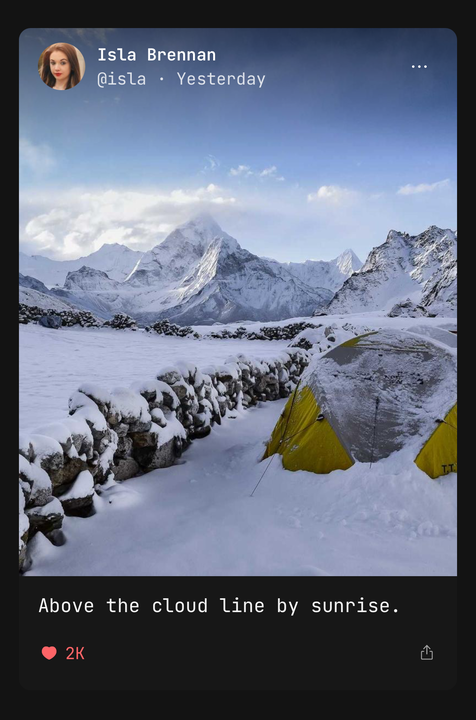
media | The picture is the card; the author is laid over it under a scrim |
<Post variant="vote">
  <Post.Header>
    <Post.Community meta="5h ago · u/aria" name="r/reactnative" />
  </Post.Header>
  <Post.Title>Reanimated 4 layout animations</Post.Title>
  <Post.Footer>
    <Post.Votes onVote={setVote} score={score} vote={vote} />
  </Post.Footer>
</Post>
In compact, Post.Media renders nothing and warns in development. In media, Post.Media must
come straight after Post.Header — the header leaves the flow and the picture takes the top of
the card.
Counts and state
Post counts nothing. active and value on a stat, vote and score on the pill, are your
state — an optimistic like and the server's answer are two values only the app can reconcile.
const [liked, setLiked] = useState(post.liked);
const [likes, setLikes] = useState(post.likes);

function toggleLike() {
  const next = !liked;
  setLiked(next);
  setLikes((count) => count + (next ? 1 : -1));
  api.like(post.id, next).catch(() => {
    setLiked(!next);
    setLikes((count) => count + (next ? -1 : 1));
  });
}

<Post.Stat active={liked} icon={IconHeart} label="Like" onPress={toggleLike} tone="like" value={likes} />;
What Post owns is what a press looks like. The number rolls up from below when it rises and down
from above when it falls. A lit glyph is the same outline, filled, with a one-shot pop on
activation. Numbers print compactly — 1234 as 1.2K — unless compact={false}.
Post.Votes reports the next vote through onVote. Pressing the arrow already cast reports
null.
Hashtags and mentions
A string body is split into text, #tags, @mentions and links. Each is coloured; with a
handler it becomes pressable, and the handler receives it without its # or @.
<Post.Body onLinkPress={openUrl} onMentionPress={openProfile} onTagPress={openTag}>
  Thanks @aria for the notes — https://example.com #COBOL
</Post.Body>
A token only starts at the beginning of the body or after a space, so email@x.com and a#b
stay plain text, and a tag needs a letter, so #123 is not one. Pass a node instead of a string
for your own rich text.
expandable with numberOfLines clamps the body and offers "more" only when it overflows.
Media and the children slot
Post.Media is a frame of fixed shape: its height comes from aspectRatio (16:10 by default),
never from the picture, so a feed does not jump as images arrive. A muted fill shows while the
image loads, and an image glyph replaces one that fails.
children replace the image inside the same frame, corners and scrim. That is where a gallery,
a carousel, a video or a faster image component goes:
<Post.Media aspectRatio={1} onPress={openViewer}>
  <Gallery images={post.images} />
</Post.Media>
Accessibility
- A card with
onPresskeeps its children as separate stops — like, reply and the profile tap stay reachable — so the card's own press is not one. Give the thread another reachable path. Post.Authoris one stop: "Aria Whitlock, @aria, verified, 42 minutes ago" — the time in words.- A stat says its noun and its full number, "Like, 1,234", and
selectedwhen lit. - The vote arrows are "Upvote" and "Downvote"; the score is read in full and announced when it changes.
Post.Mediawithaltis an image with that label;alt=""is skipped as decorative.- Controls are 32 points with a hit slop to 44.
- Under Reduce Motion the count swaps instantly and the glyph does not pop.
Notes
- The media frame has a fixed aspect ratio, so a tall photo and a wide one make the same card.
- A lit stat fills the same glyph rather than swapping to another — the heart for
likeand the bookmark forsaveby default. Drawinglikewith another glyph? PassfillPath="".
API Reference
Post
Prop
Type
Post.Author
Prop
Type
Post.Community
Prop
Type
Post.Action
Prop
Type
Post.Body
Prop
Type
Post.Media
Prop
Type
Post.Stat
Prop
Type
Post.Votes
Prop
Type
Post.Header / Post.Title / Post.Footer
Prop
Type